

Our own product
LogKeeper Pro
Identify · Prove · Test
Keeping logs is not enough. LogKeeper Pro keeps and seals your Law No. 5651 records. It establishes who a record belongs to, proves its integrity with a timestamp and a hash, and, when an off-site copy target is defined, automatically tests every week that archives can be brought back. It installs on your existing server; no hypervisor is required.
- 12 firewall brands and a generic parser
- 730-day default retention; a warning if set below the minimum
- SMS-verified captive portal for guest networks
- PDF/CSV reports and archive export
In brief
LogKeeper Pro is the log management software developed by 7 Tepe Bilişim, for records under Turkish Law No. 5651. It establishes who a record belongs to (Identify), proves its integrity (Prove) and, when an off-site copy target is defined, automatically tests every week that archives can be brought back (Test). It is for organizations that provide internet access, such as hotels, schools, hospitals, factories and offices. It installs on your existing server; no hypervisor is required.
What it does
For your obligations under Law No. 5651, we bring log records, timestamps, retention and reporting together in one piece of software. LogKeeper Pro is the software we develop for organizations that provide internet access, such as hotels, schools, hospitals, factories and offices, and it installs on your existing server.
Packages
We have four packages: Starter, Starter Plus, Professional and Enterprise. We decide together which one suits you.
Law No. 5651 obligations and LogKeeper Pro
| Obligation | What LogKeeper Pro offers |
|---|---|
| Keeping access records | Outbound internet traffic (12 firewall brands and a generic parser) and DHCP records (11 firewall brands and Windows Server DHCP) |
| Retaining records for at least 2 years | Records are kept for at least 730 days by default; automatic deletion is off by default. The product warns if the period is set below the minimum |
| Protecting accuracy and integrity | Hourly sealing: SHA-256 hash and RFC 3161 timestamp (network access to a timestamp server is required) |
| Identifying the user | IP–MAC matching from the DHCP lease; the Identification screen reads the firewall record and the DHCP lease together; an SMS-verified captive portal on the guest network (using the organization's own SMS account) |
| Providing records on request | Identification screen (IP + time query), archive export, PDF/CSV reports |
| Keeping records confidential | Field-level encryption, role-based access, device-based authorization |
Installation
- It installs on your existing server: a single installer, a single Windows service, no hypervisor required. Windows 10/11 and Windows Server 2019/2022 (64-bit).
- HTTPS is the default.
- Cloud copies (S3-compatible, Azure Blob) are encrypted on the client side by default; SMB copies keep the sealed archives as they are.
- Weekly automatic restore drill: random archives are pulled back from the off-site copy and verified; an e-mail alert is sent on failure. An off-site backup target must be defined for this.
Offer it as a reseller
We want to offer this product to your customers together with you. The team that develops the product also provides installation and support. Apply to become a reseller
Product family
- LogKeeper Pro 5651
- LogKeeper DHCP Agent
Screens from the panel
Screens captured in trial mode with sample data; they contain no real customer data.
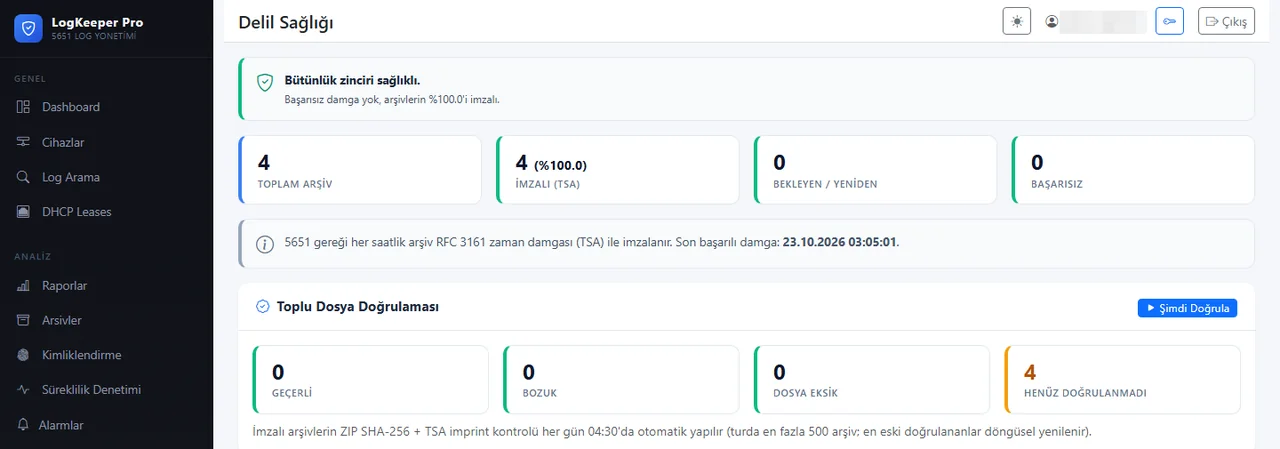
Evidence healthIntegrity chain summary: number of signed archives, pending and failed stamps, last verification. 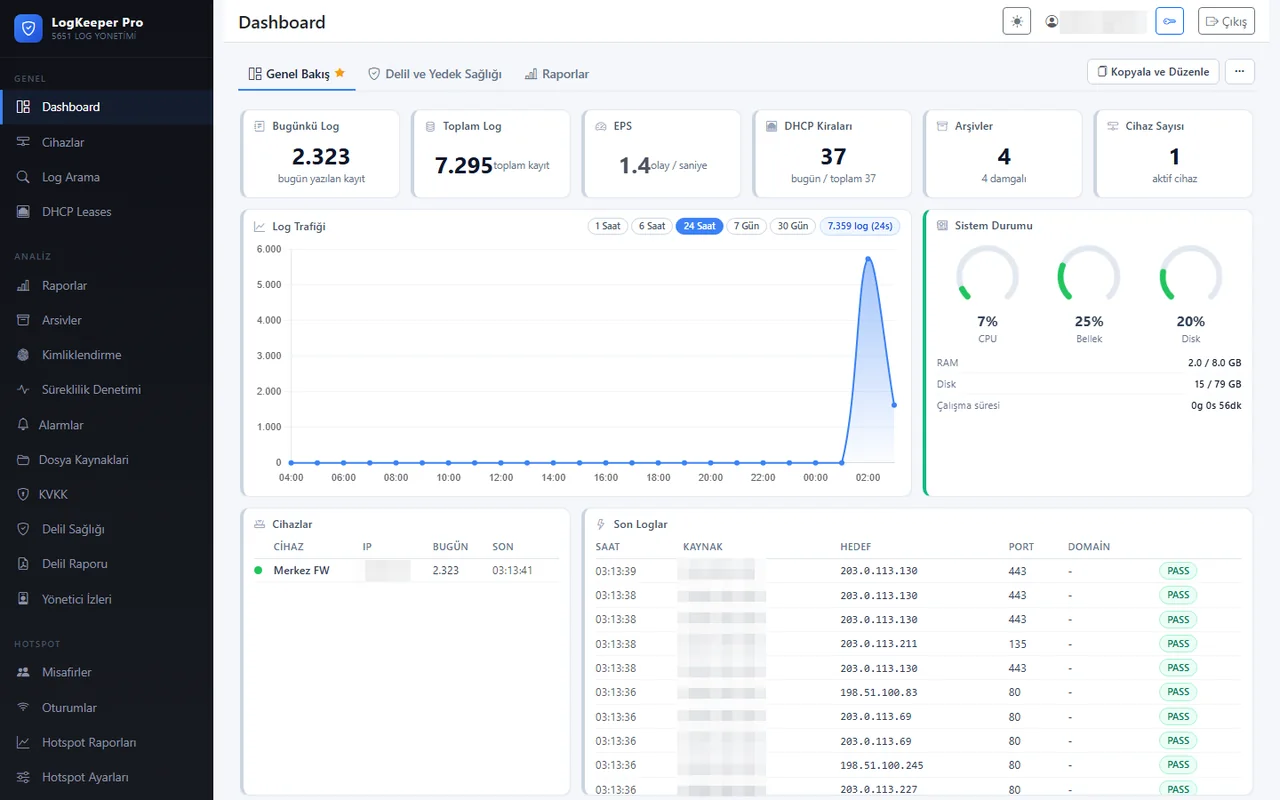
DashboardDaily and total records, events per second, traffic chart, system status. 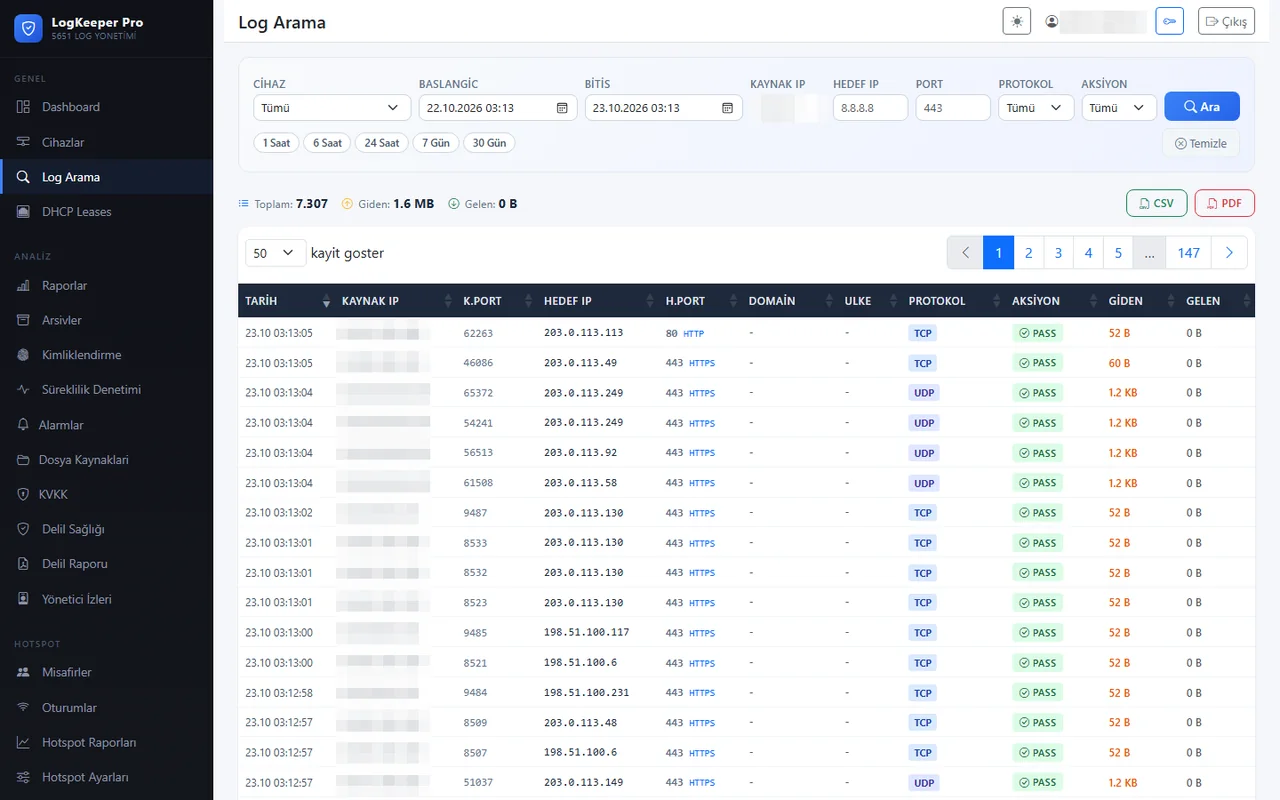
Log searchSearch by device, date range, source and destination IP, port and protocol. 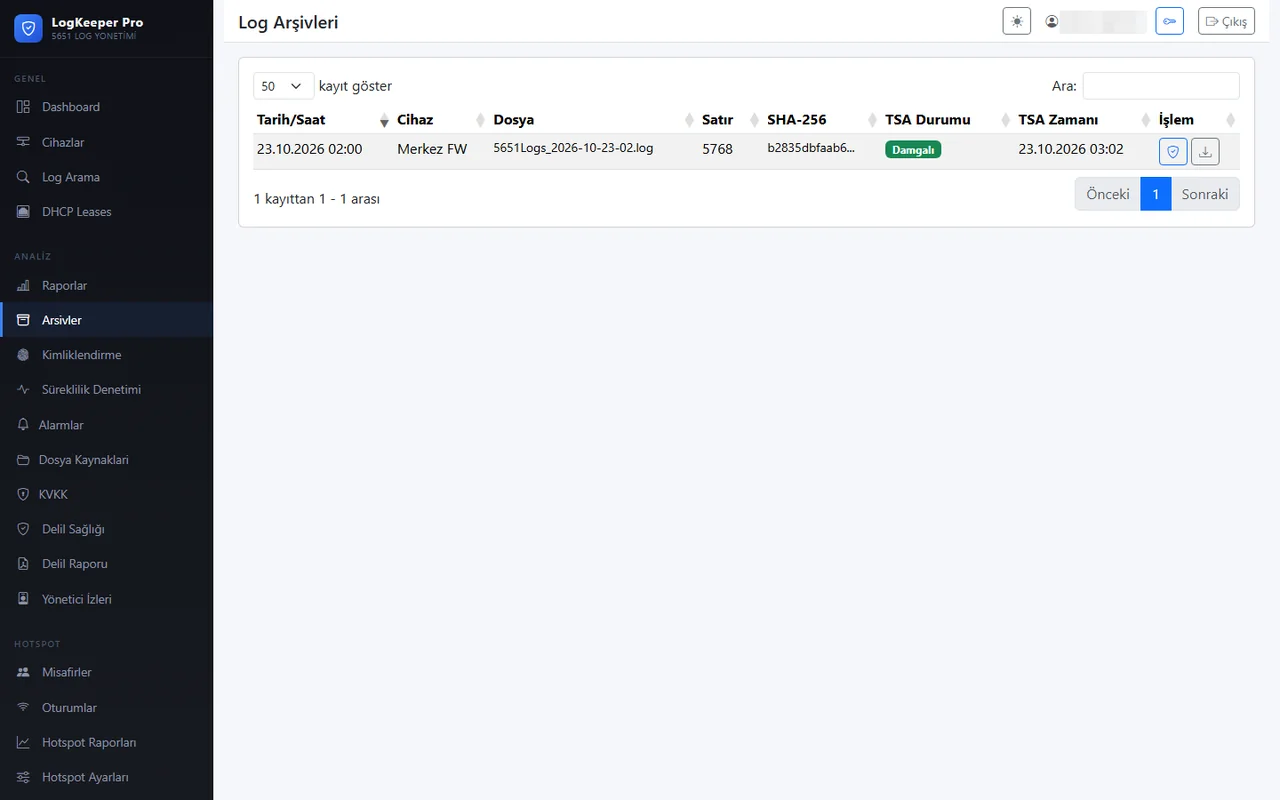
ArchivesHourly archives under Law No. 5651: file name, line count, SHA-256 digest and timestamp. 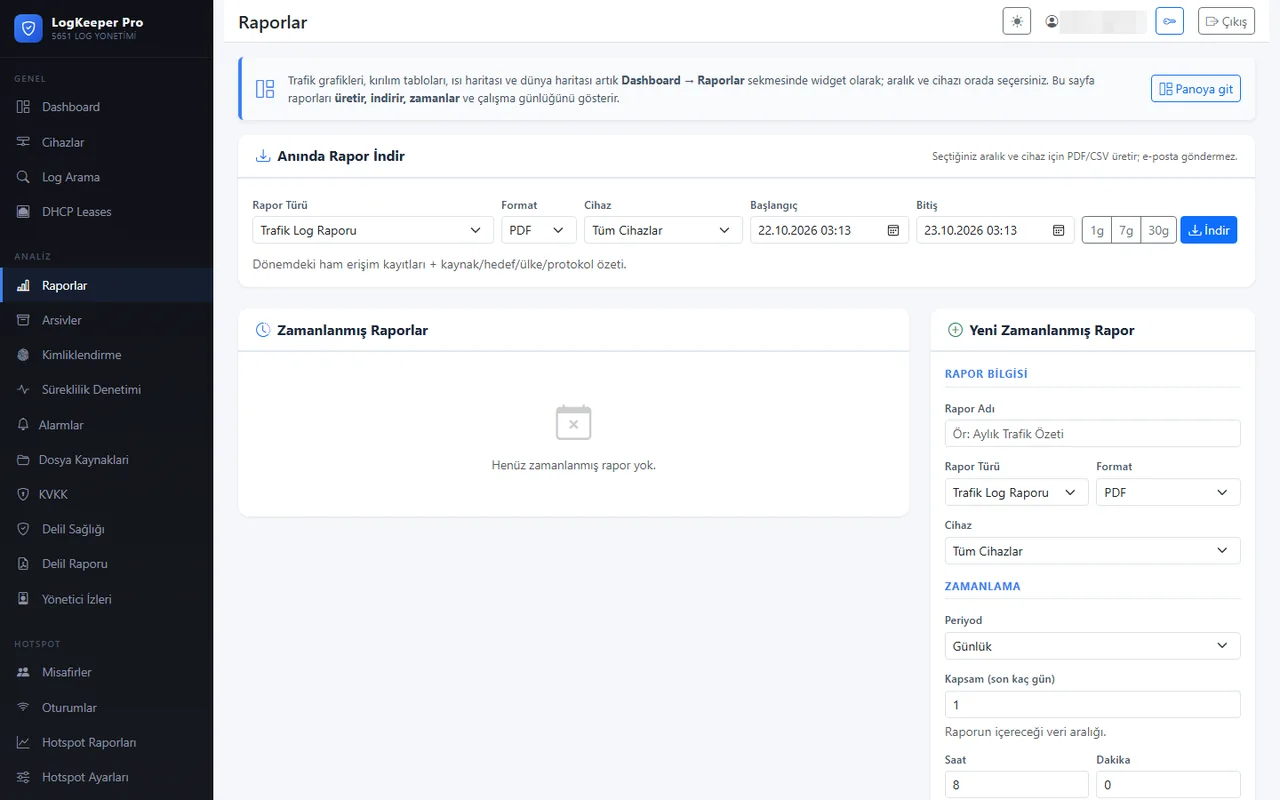
ReportsInstant PDF/CSV reports for the selected range and device; daily, weekly or monthly. 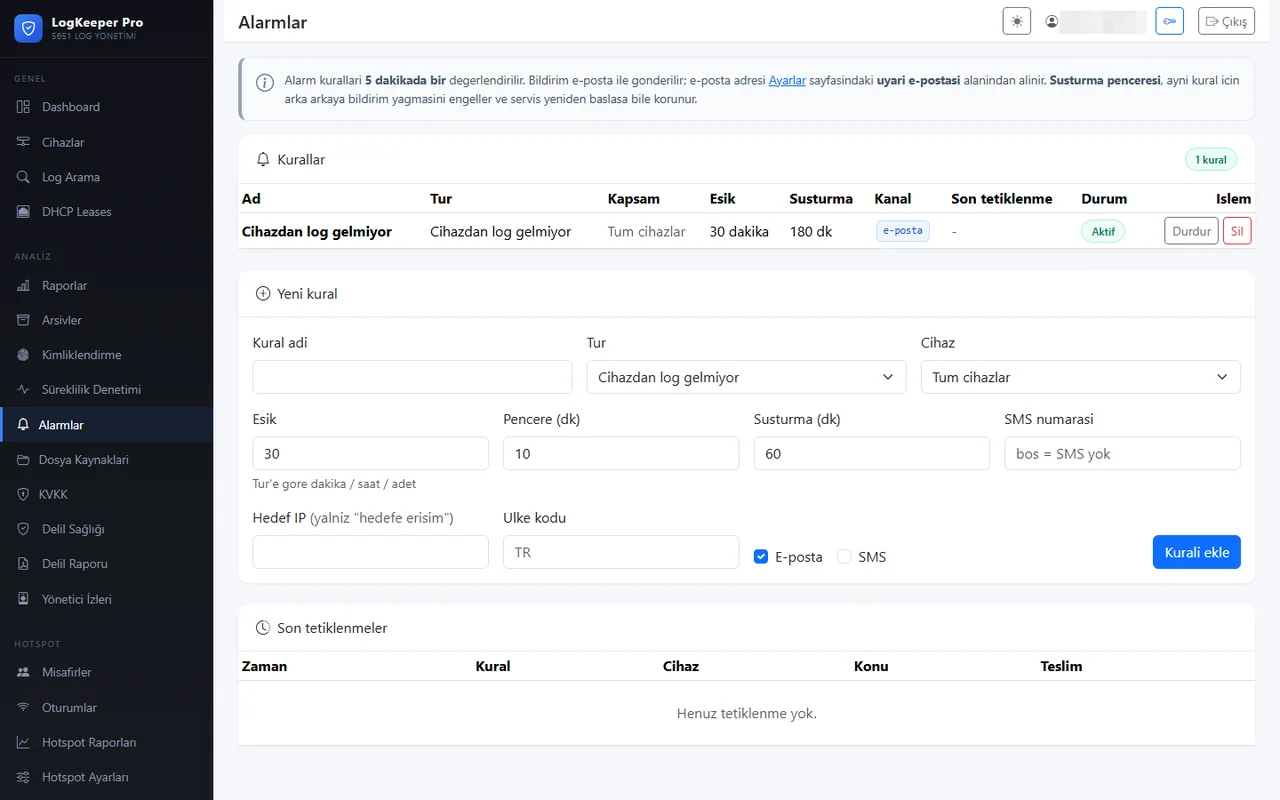
AlertsRules such as "no logs from device"; threshold, window and mute duration. 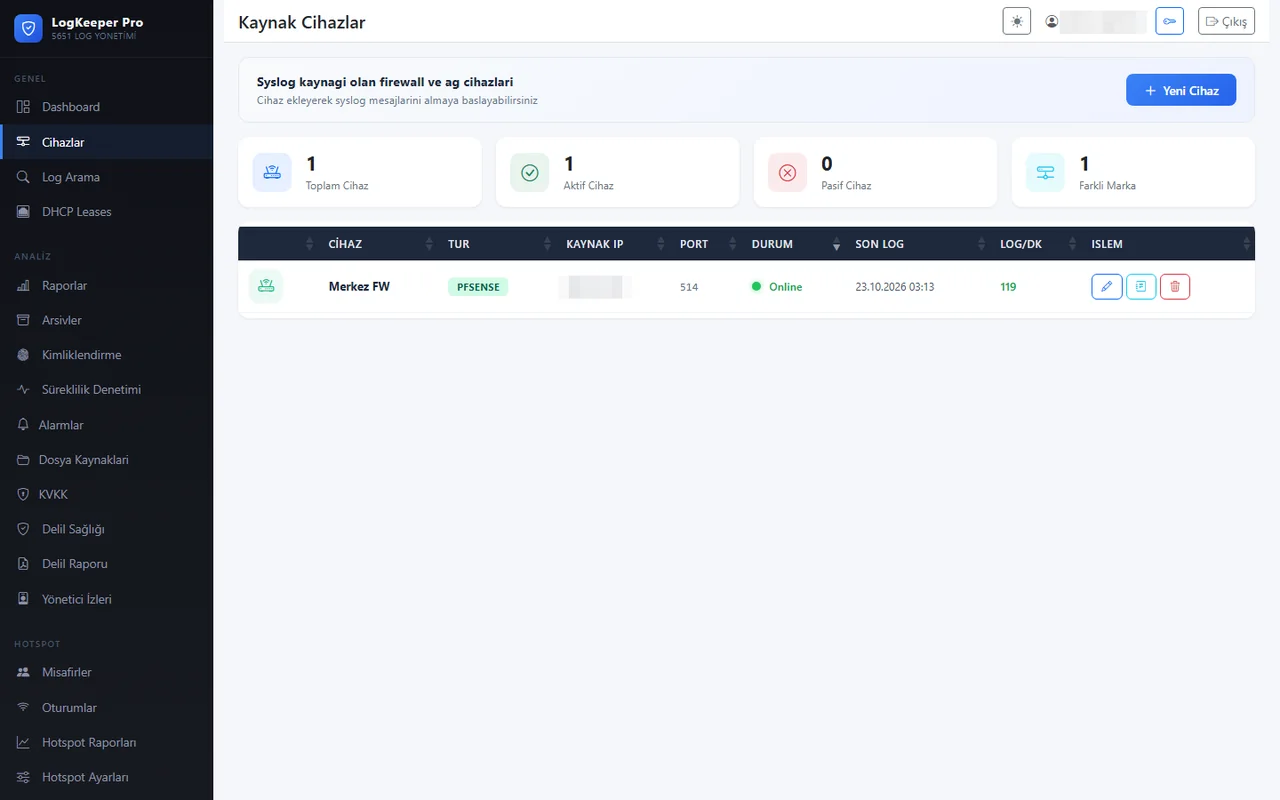
Source devicesFirewalls and network devices sending syslog; status, port and last log time.


Frequently asked questions
Does it need a separate server?
It installs on an existing Windows server; no separate hardware or hypervisor is required. The minimum requirement is 2 cores, 4 GB of RAM and 20 GB of disk for the application; log storage depends on traffic (about 100 bytes per log line including sealed archives; roughly 7 GB for 100,000 lines a day kept for 730 days).
Which firewalls does it work with?
12 firewall brands and a generic parser are supported.
What does it cost?
We prepare a quote based on your package and number of devices.
Let's talk about LogKeeper Pro for you.
Contact us for a demo and a quote.